
Free online invitation maker with QR code
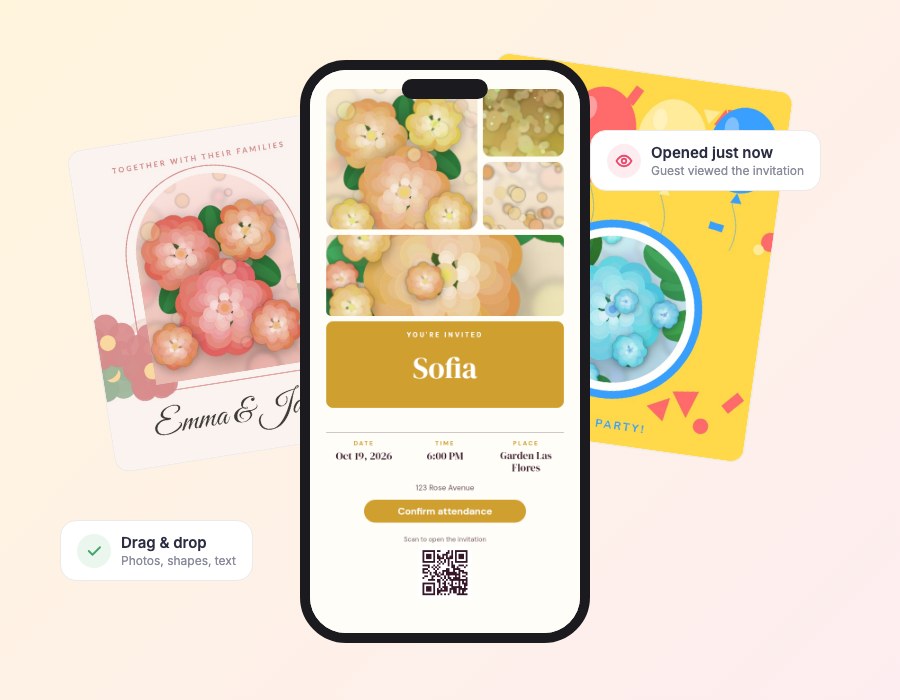
Design a digital invitation from scratch or start from one of 50 templates. Drag, resize and rotate anything, upload photos and add your RSVP button and QR code.
Free to design and preview. Pay once only when you publish.
What is an online invitation maker?
An online invitation maker is a web tool for designing invitations without design software. You choose a template, change the text, colors and photos, and export or share the finished invitation.
MyInviteQR goes further than a static image: your invitation is a live web page with an RSVP button, a QR code and guest tracking, so it works as your whole invitation and guest-list tool.
Why use the MyInviteQR invitation maker
More control than a simple template, still easy for beginners.
Free-form editor
Move any text, photo, shape or decoration exactly where you want it.
130+ color palettes
Change one palette and the whole design recolors itself.
Your photos
Upload photos, crop them to a shape and add collages.
Make your invitation in four steps
Simple enough to finish in one sitting.
Create your event
Choose the type of event, add the title, date, time and place. Everything saves automatically as a draft.
Pick a template
Browse designer templates for every occasion and preview them on a phone before you decide.
Make it yours
Change text, fonts and colors, drag photos where you want them and add your RSVP button and QR code.
Share and track
Publish, then send one link or QR code by text, email or social media. Watch RSVPs arrive in real time.
Start from a template
Or start blank and design your own.




Everything you need for your invitation maker invitation
One tool for the design, the link, the QR code and the guest list.
QR code on every invitation
Guests scan the code at your venue, on a save-the-date or on printed cards and land on your invitation instantly.
Free-form invitation editor
Move, resize and rotate any text, photo or shape. Start from a template or build your own layout.
Over 130 color palettes
Change one palette and the whole invitation recolors itself, always keeping the text readable.
Online RSVP and guest list
Guests reply yes, no or maybe with their party size. You see every answer in one clean dashboard.
Know who opened it
See who viewed your invitation and who still needs a nudge, so you can follow up with the right people.
Import your guest list
Upload a CSV or add guests one by one, with groups and a personal link for each guest.
Made for phones
Guests open your invitation in the browser they already use. No app, no account, no friction.
Motion that feels premium
Gentle animated details bring your invitation to life on every screen without slowing it down.
Tips for designing a great invitation
- Keep the most important details, date and place, large and near the top.
- Limit yourself to two or three fonts.
- Use high-resolution photos.
- Make sure text has strong contrast with the background.
- Preview on a phone before you publish.
What to include on your invitation
A checklist so nothing is missing.
Who: the host and the guest of honor.
What: the type of event and any theme or dress code.
When and where: the date, start time, address and parking.
How to reply: the RSVP button and a reply-by date.
Design free, publish when you are ready
Building your invitation costs nothing. Save drafts, preview on a phone and come back any time. You pay once only when you publish to share it with guests.
- Unlimited drafts
- Undo and redo
- Phone and full-screen preview
- Autosave
Keep exploring
More ways to invite, organize and celebrate.
Wedding invitations
Design free digital wedding invitations with a QR code and online RSVP. Share one link with every guest and track...
ExploreBirthday invitations
Design free digital birthday invitations with a QR code in minutes. Kids and adult templates, online RSVP and one...
ExploreQR code invitations
Design free QR code invitations guests scan to open your event and RSVP. Add the code to cards, signs and screens....
ExploreOnline RSVP
Collect RSVPs online with one link or QR code. See who is coming and who opened your invitation. Free to design, pay...
ExploreInvitation maker invitation questions
Is the invitation maker really free?
Yes. Designing, previewing and saving drafts are free. You pay once only when you publish the invitation to share it with guests.
Do I need design skills?
No. Start from a template and change the details. The editor is drag and drop.
Can I upload my own photos?
Yes. Upload JPG, PNG, WebP or GIF files up to 5 MB each.
Can I use it on my phone?
Guests can view invitations on any phone. Designing works best on a computer or tablet.
Start designing
Open the editor and make your first invitation for free.
Create your invitationDesigning is free. You pay one time, only when you publish. No subscription.