
Free digital invitation maker: how it works
From idea to a shared invitation in about ten minutes. Free to design, and you pay once only when you publish.
Free to design and preview. Pay once only when you publish.
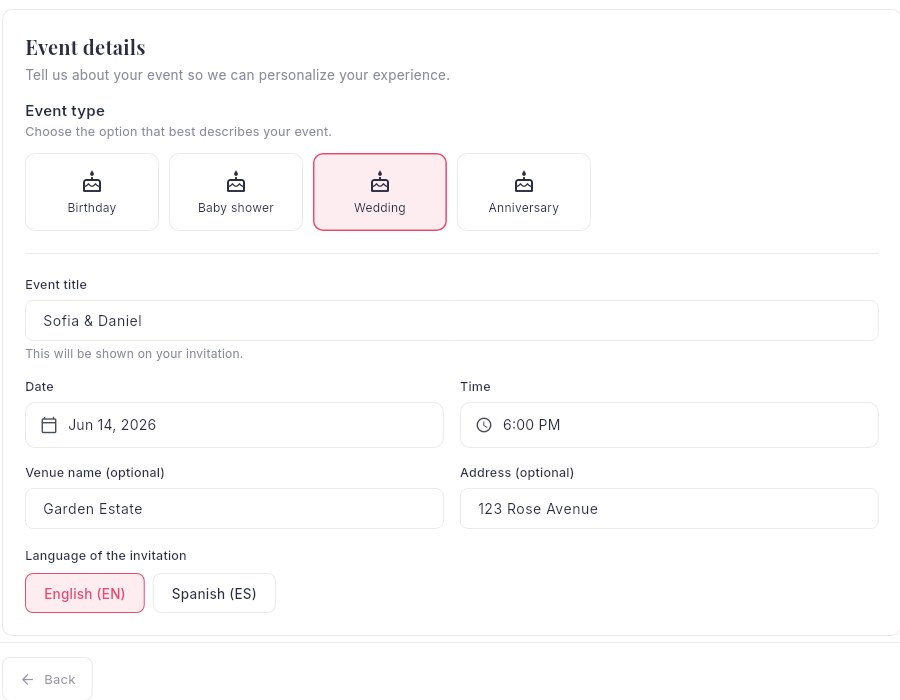
Create your event
Start with the basics: the type of event (wedding, birthday, baby shower, quinceañera, corporate and more), a title, the date and time, and the venue. We use your event type to recommend the best templates. Your work saves automatically as a draft, so you can leave and come back anytime.
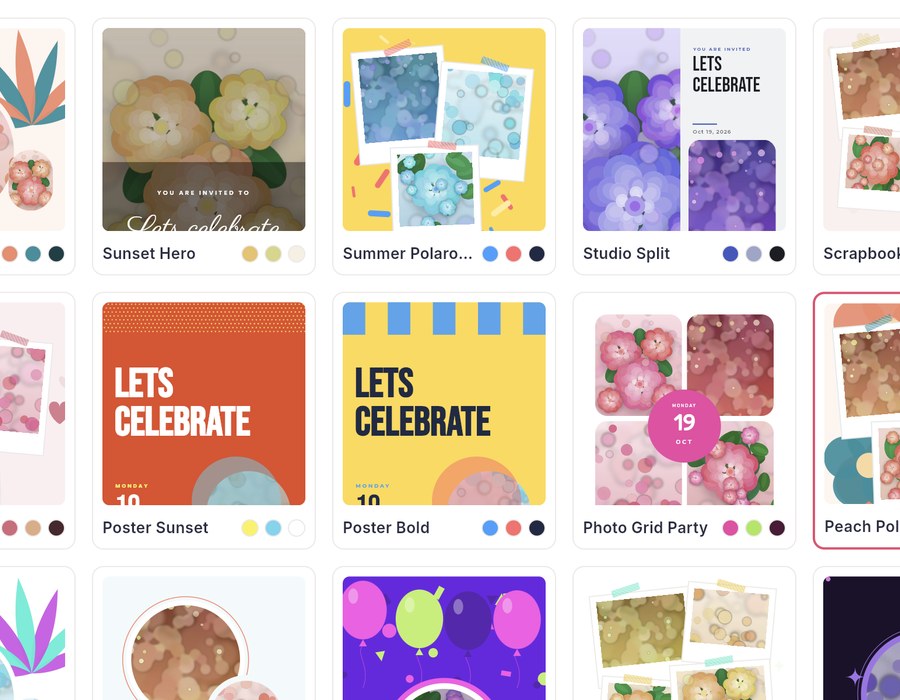
Choose a template
Browse fifty designer templates filtered by style and color. Every card previews your own event name and date, and a phone preview shows exactly how guests will see it. Change your mind? Switch templates without losing your details.
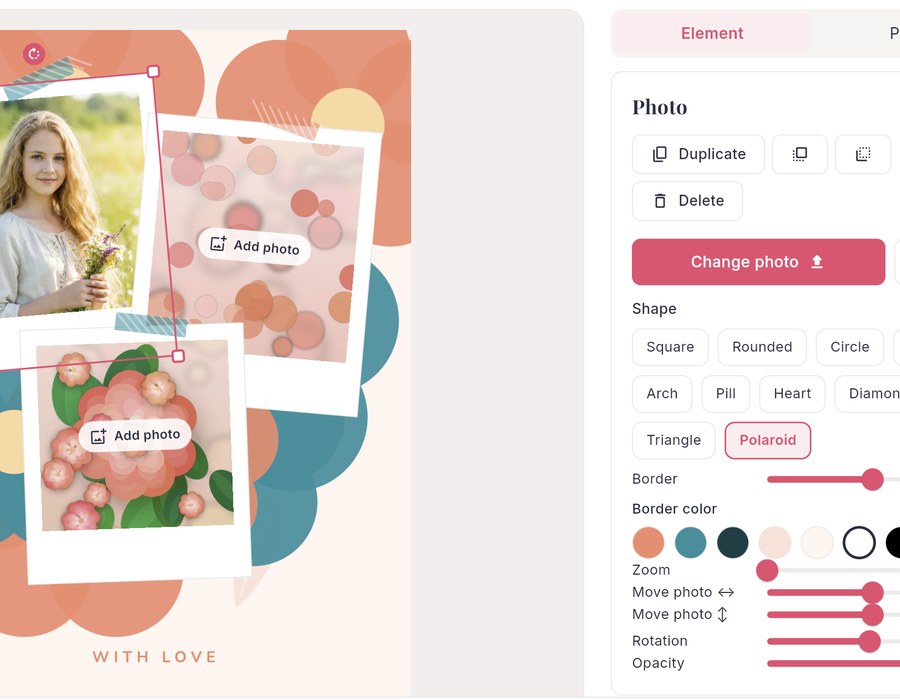
Customize your invitation
Use the free-form editor to move, resize and rotate anything. Upload photos, pick from over 130 color palettes, choose from dozens of fonts, add decorations and drop in your RSVP button and QR code. Undo and redo are always one click away.
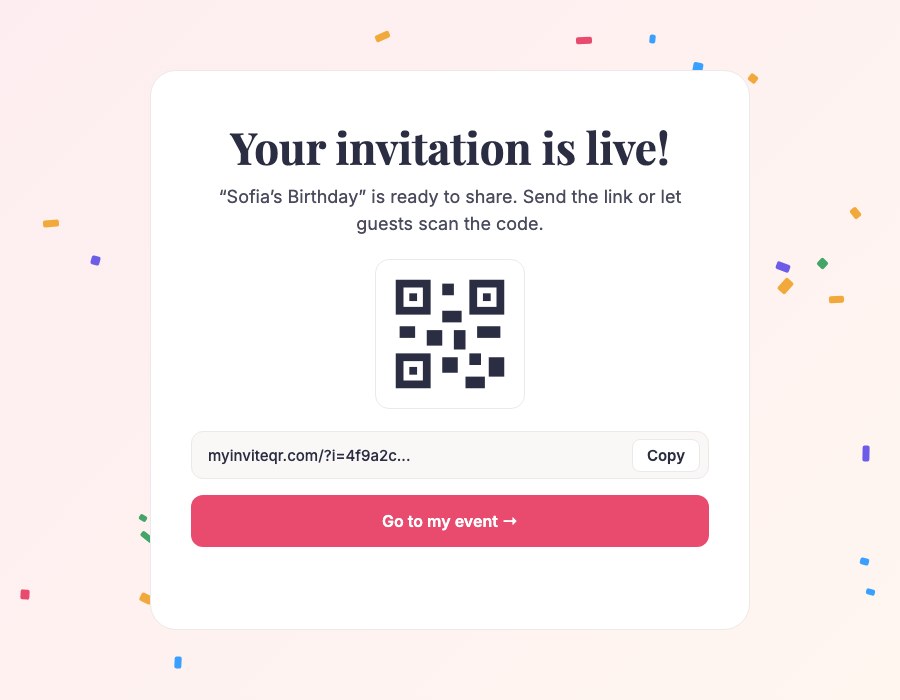
Add guests and publish
Add guests manually or import a CSV. Choose Essential or Premium, pay securely with Stripe and your invitation goes live instantly. Share the link by text, email or social media, or print the QR code.
Made to be easy for you and your guests
The details that make it feel effortless.
QR code on every invitation
Guests scan the code at your venue, on a save-the-date or on printed cards and land on your invitation instantly.
Free-form invitation editor
Move, resize and rotate any text, photo or shape. Start from a template or build your own layout.
Over 130 color palettes
Change one palette and the whole invitation recolors itself, always keeping the text readable.
Online RSVP and guest list
Guests reply yes, no or maybe with their party size. You see every answer in one clean dashboard.
Know who opened it
See who viewed your invitation and who still needs a nudge, so you can follow up with the right people.
Import your guest list
Upload a CSV or add guests one by one, with groups and a personal link for each guest.
Made for phones
Guests open your invitation in the browser they already use. No app, no account, no friction.
Motion that feels premium
Gentle animated details bring your invitation to life on every screen without slowing it down.
Frequently asked questions
What is a digital invitation with a QR code?
A digital invitation is an online invitation guests open on their phone. MyInviteQR gives every invitation its own link and QR code, so guests can scan the code or tap the link to see the details and RSVP in seconds.
How much does MyInviteQR cost?
Designing your invitation is free. When you are ready to publish, Essential is $9.99 and Premium is $19.99, paid once per event. There is no subscription.
Do my guests need to download an app or create an account?
No. Guests open your invitation in the web browser on their phone or computer and reply with one tap. No app and no account.
How do I send my digital invitation?
Publish your event and share your link by text message, WhatsApp, email or social media, or print the QR code on cards, signs and posters. You can also send a personal link to each guest with Premium.
Can I track who opened my invitation and who replied?
Yes. Your dashboard shows who replied yes, no or maybe, how many people are in each party and who opened the invitation but has not answered yet.
Ready to send an invitation people will remember?
Pick a template, add your details and share one link. Design for free and pay only when you publish.
Create your invitationDesigning is free. You pay one time, only when you publish. No subscription.